Why Video Is Non-Negotiable in 2025

Automated Viral Video Maker: Practical Content Workflow for Startups
You open Instagram at 9 AM. Your competitor posted a Reel. By 11 AM, another one. By evening, they’ve posted three videos while you’re still figuring out what to post this week.
This isn’t about comparing yourself to others. This is about recognizing a pattern that’s reshaping how businesses reach customers in 2025.
Video content has become the primary language of digital marketing. Not photos with captions. Not text posts. Video. Short, vertical, engaging clips that stop thumbs from scrolling.
For startups and MSMEs across India, this shift creates pressure. You know video matters. You’ve tried creating content. Maybe you hired someone once, waited a week, spent money, and got one video. Then the question hits: how do I do this every single day?
The answer isn’t working harder or spending more. It’s building a system that works while you focus on running your business.
Why Video Automation for Businesses Became Essential
Let’s address what changed in the past three years.
Instagram now prioritizes Reels over static images. YouTube created Shorts to compete with TikTok. LinkedIn, once a text-heavy platform, now pushes video to the top of every feed. Even WhatsApp Business encourages video status updates because they keep users engaged longer.
The platforms made a decision: video keeps people scrolling, and more scroll time means more ad revenue. So they reward accounts that post video content with higher reach and visibility.
Here’s what this means for your business:
- Post a static image: 150-300 people might see it
- Post a Reel or Short: 1,500-5,000+ people might see it
- Algorithm favors video: Your non-video posts get buried
This isn’t speculation. This is how platform algorithms work right now. If you’re not creating video, your content isn’t reaching people. Even your existing followers might miss your updates because the feed prioritizes video from other accounts.
The Problem with Traditional Video Production

Most founders know they need video content. The challenge isn’t awareness. It’s execution.
Traditional video production involves coordinating with videographers, booking shoots, waiting for editing, requesting revisions, and waiting again. That entire cycle takes days, sometimes weeks, for a single video.
Let’s break down what this process actually demands:
Time Requirements:
- Pre-production planning: 2-3 hours
- Coordinating schedules: 1-2 days
- Actual shoot day: 4-8 hours
- Editing and revisions: 3-5 days
- Final delivery: 1-2 days
Total time for one video: Roughly a week from concept to finished content.
Now multiply that by 30 if you want daily posts. The math doesn’t work. You’d need a full-time team just managing video production, which most startups and MSMEs simply cannot afford or justify.

Even if you decided to learn video editing yourself, you’re looking at weeks of learning curves with software like Premiere Pro or Final Cut. Those hours should go into building your product, talking to customers, or closing sales—not figuring out keyframes and color grading.
The Three Core Barriers
Barrier 1: Production Timelines
Professional video work requires multiple stages and people. You can’t compress weeks into days without sacrificing quality or burning out your team.
Barrier 2: Skill Requirements
Creating decent video content demands technical knowledge most founders don’t have and don’t have time to learn.
Barrier 3: Consistency Challenge
Even if you manage to produce a few videos, maintaining daily or weekly posting becomes overwhelming. The algorithm rewards consistency, but manual production can’t keep up.
This is where most small businesses give up on video content. Not because they don’t care. Because the traditional path demands resources they simply don’t have.
What Is an Automated Viral Video Maker?

Strip away the technical jargon. Here’s what we’re discussing: a workflow system that converts simple text ideas into finished vertical videos ready for social platforms—without you touching editing software.
You write what you want to see. The system processes it, generates the video, formats it correctly, and delivers a download link. That’s the complete workflow.
How Business Video Creation Automation Actually Works
The technology uses AI models trained on millions of video clips. These models understand camera movements, lighting composition, pacing, and visual storytelling. When you describe a scene, the system visualizes it and generates corresponding footage.
Not by stitching stock clips together. By actually creating new video content based on your description.
The process follows these stages:
- Input: You add a text description to a Google Sheet
- Processing: AI converts your idea into a detailed video prompt
- Generation: Video model creates footage matching your description
- Formatting: Output is automatically formatted as 9:16 vertical video
- Delivery: Download link appears in your sheet with title and caption
The entire sequence happens automatically. From your idea to finished video without you managing multiple tools or platforms.
“The gap between where you are and where you want to be is often just a better system.”
Benefits of Short Video Automation for MSMEs
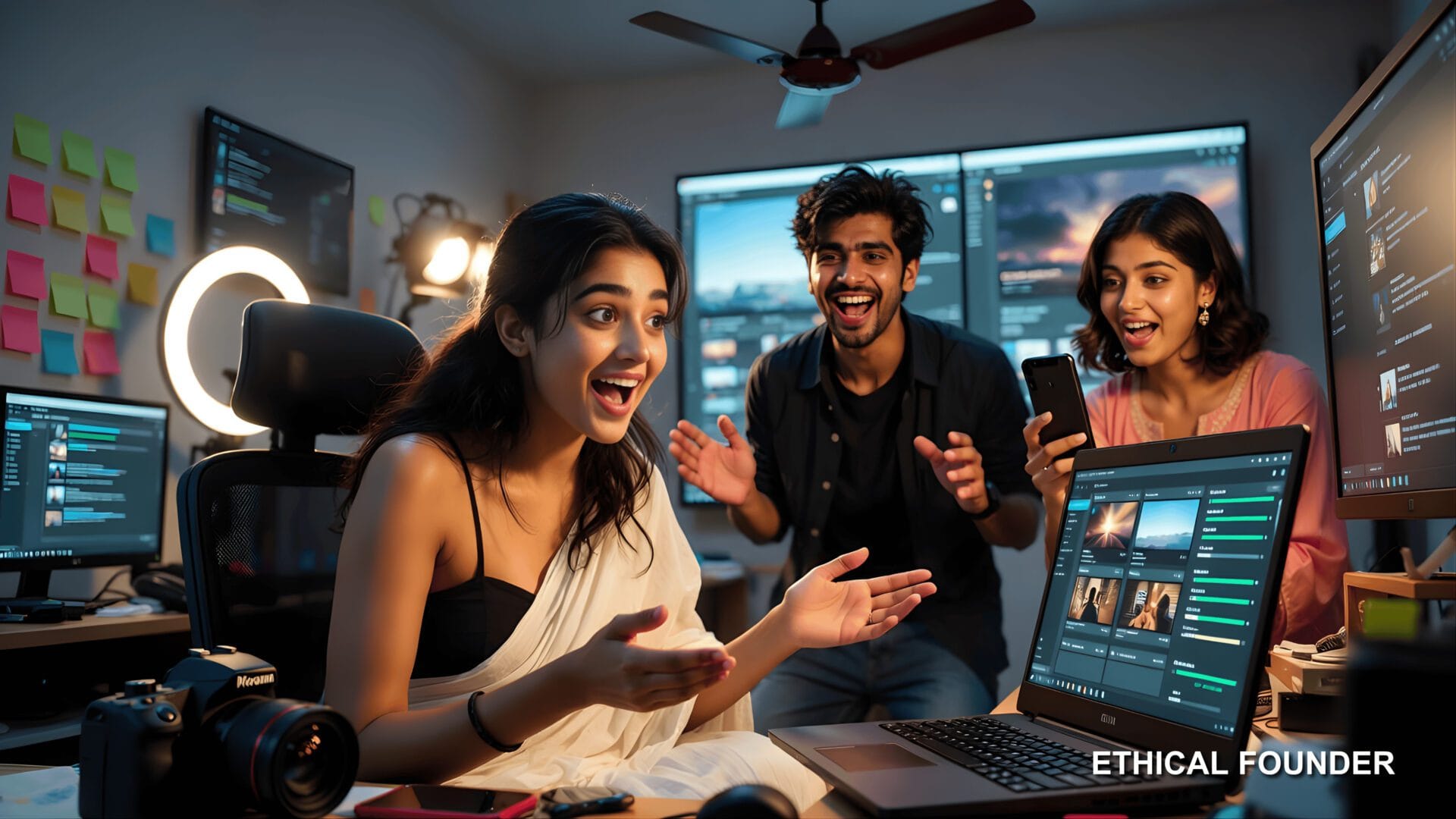
Small and medium businesses operate differently from large corporations. You don’t have dedicated marketing departments. The founder often handles marketing alongside operations, finance, sales, and product development.
In this context, every marketing activity must be efficient. If creating one piece of content takes four hours, you’ll create content sporadically. If the same content takes fifteen minutes, you can do it daily.
That shift from sporadic to consistent changes everything in how algorithms treat your account.
How the Automated Viral Video Maker Workflow Operates
Let’s walk through exactly how this system functions in daily use.

Step 1: Setting Up Your Control Center
Your Google Sheet becomes the command center. This choice is deliberate—everyone knows how to use spreadsheets. No learning curve. No special software. Access it from your phone, laptop, anywhere.
The sheet contains these columns:
| Column | Purpose |
|---|---|
| Video Idea | Your text description of what you want |
| Status | Tracks progress (New, Processing, Generated, Error) |
| Title | Auto-generated social media title |
| Caption | Auto-generated post caption with hashtags |
| Video Link | Download URL for finished video |
| Date Created | Timestamp for organization |
Step 2: Adding Your Video Ideas
Open the sheet. Add a new row. Write your video concept in plain language.
Good examples of input descriptions:
- “Camera slowly orbits a smartphone on a wooden desk, morning sunlight, minimalist aesthetic, professional tech vibe”
- “Fast-paced montage of coffee being poured, steam rising, close-up shots, energetic morning feel”
- “Product rotates on white background, dramatic lighting from side, luxury presentation, smooth motion”
- “Animated text appears explaining concept, simple graphics, modern corporate style, blue and white colors”
You don’t need technical cinematography language. Just describe what you want viewers to see and feel.
Step 3: Automatic Processing
The moment you add that row, the workflow automation activates. This happens entirely in the background:
- AI reads your idea and expands it into a detailed video prompt
- System generates an engaging title optimized for social media
- Caption gets written with relevant context and hashtags
- Everything prepares for the video generation stage
This transformation from rough idea to structured prompt is where the intelligence matters. The system knows what makes effective video prompts and how to structure them for maximum visual impact.

Step 4: Video Generation and Quality
Your processed prompt goes to advanced video generation APIs. These create actual footage based on your description.
What you get:
- Correct 9:16 vertical format for mobile viewing
- Smooth camera movements and transitions
- Visual style matching your prompt description
- 5-15 second duration optimized for social platforms
- High-quality output ready for direct publishing
Generation typically completes within a few minutes. Complex scenes with multiple elements might take longer, but the system handles all waiting and checking automatically.
Step 5: Error Handling and Status Updates
The workflow includes built-in error handling. If video generation fails—maybe the prompt was too complex or the service had temporary issues—the system marks the row with an error status instead of leaving it in limbo.
You can see exactly which videos need retry attempts. Nothing gets lost or forgotten in the process.
Status tracking shows you:
- Which ideas are waiting to be processed
- Which videos are currently generating
- Which videos are ready to download
- Which attempts encountered errors
This transparency removes the mystery from automated processes. You always know what’s happening with your content pipeline.
Step 6: Delivery and Publishing
Once your video is ready, the system updates your Google Sheet:
- Download link appears in the designated column
- Title and caption populate automatically
- Status changes to “Generated”
- Everything is organized and ready for immediate use
You preview the video, download it, and post it directly to Instagram, YouTube, LinkedIn, or any platform you use. The entire workflow from idea to finished video takes about 5-10 minutes of your actual attention while the system does hours of work in the background.

Custom Dashboards for Business Intelligence
For businesses wanting deeper insights, custom dashboards can visualize your content pipeline and performance.
Dashboard capabilities include:
- How many videos are ready to post right now
- How many are currently generating
- Which video ideas got the most engagement after posting
- Performance trends over time
- Content gaps in your posting schedule
Dashboards turn your Google Sheet data into clear visual summaries that inform strategy and help you make better content decisions.
These extensions don’t require rebuilding the entire system. They’re additions to the core workflow. Start simple, add complexity only when you need it.
Common Questions About Implementation
Does this replace human creativity?
No. The system handles execution, not strategy. You still decide what content your audience needs, what messages matter, what brand personality to project. The automation removes technical barriers to implementing your ideas.
What if the generated video doesn’t match your vision?
The workflow allows regeneration. Change your prompt description and run it again. Test different approaches. Because generation is fast and doesn’t require human labor, iteration becomes practical. Try five variations of the same concept to find what works best.
Can this integrate with existing tools?
Yes. The base workflow uses Google Sheets, which connects with most business tools. Custom integrations can link to your CRM, scheduling software, analytics platforms, or content management systems depending on your specific requirements.
What about brand consistency?
You maintain control through your prompts. Describe your brand’s visual style once, then reference it in every video prompt. “Corporate professional blue aesthetic” or “warm earthy tones with natural lighting”—these descriptions ensure visual consistency across all generated content.
Getting Started with Your Automated Video Workflow
Implementation follows a clear path designed for businesses without technical teams.
The setup process:
- Initial consultation to discuss your content needs and posting frequency
- Workflow configuration customized to your requirements
- Google Sheet structure setup with your branding and preferences
- Complete testing with sample videos from your industry
- Comprehensive documentation covering all system aspects
- Support during initial usage as questions arise
You receive documentation covering every aspect of the system: how to write effective prompts, troubleshoot common issues, interpret status messages, and expand the workflow as your needs grow.
For businesses with more complex requirements, we create custom dashboards integrating with your existing tools and processes. These dashboards can track content performance, manage posting schedules, coordinate team collaboration, and provide analytics on what content drives actual business results.
We also offer custom workflow development for:
- Multi-platform posting automation
- Performance tracking and analytics
- Team collaboration features
- Brand asset management
- Advanced content scheduling
The goal isn’t just handing you a tool. It’s ensuring you have a content creation system that works for your business long-term.
Explore More AI Automation Solutions
Video creation is one piece of a larger automation puzzle. Ethical Founder has developed over 1000+ ready-made AI agent templates for different business needs.
From customer service automation to data analysis, from social media management to document processing—we’ve built workflows that help startups and MSMEs compete with larger companies without matching their budgets.
Explore our complete library of AI automation solutions at Ethical Founder’s AI Agent Templates. Each template comes with setup guides, use cases, and customization options.
Learn more about specific AI agents and their business applications in our AI Agent Details section. We break down exactly how each automation works, what problems it solves, and how to implement it in your business.
Take the Next Step
Video content dominance isn’t temporary. Platform algorithms have committed to this direction. Audience preferences have shifted permanently toward visual, engaging, short-form content.
Waiting for things to go back to text and images means accepting invisibility in feeds where your customers spend hours daily.
But you don’t need massive budgets or technical expertise to compete. You need better systems. Systems that multiply your effort instead of consuming your time. Systems that make daily content creation practical instead of aspirational.
An automated viral video maker is exactly that system. It doesn’t eliminate the need for strategy, creativity, or understanding your audience. It eliminates the execution bottleneck preventing good ideas from becoming actual content.
For startups and MSMEs, this changes competitive dynamics. You can maintain the consistent presence that builds brands and attracts customers. You can test content approaches quickly to discover what resonates. You can compete with larger competitors who have bigger teams and budgets.
The question isn’t whether automation will change content creation. It already has. The question is whether you’ll adopt these systems while they still provide competitive advantage, or wait until they become standard and everyone else is already using them.
Ready to implement your automated video workflow? Contact Ethical Founder to discuss custom workflows and dashboards designed specifically for your business needs.
Your business deserves tools that match your ambition. Workflows that remove barriers instead of creating them. Systems that work for you instead of requiring you to work for them.
The content gap between where you are and where you want to be isn’t as wide as it seems. Sometimes it’s just one good system away.
- Why You’re Miscalculating the Bilt Rent Day April 2026 Wyndham Bonus
 Why You’re Miscalculating the Bilt Rent Day April 2026 Wyndham Bonus Forget what every “expert” is screaming about the Bilt… Read more: Why You’re Miscalculating the Bilt Rent Day April 2026 Wyndham Bonus
 - Anthropic Claude Computer Access: The Most Honest Claude Computer Use Tutorial You’ll Find in 2026Anthropic Claude Computer Access: The Most Honest Claude Computer Use Tutorial You’ll Find in 2026 I’ve been using Claude since… Read more: Anthropic Claude Computer Access: The Most Honest Claude Computer Use Tutorial You’ll Find in 2026
- The Untold Biography of Aditya Dhar and Yami Gautam: How Dhurandhar 1 and 2 Toppled the Bollywood Mafia and Took the Ultimate Kashmiri Pandit RevengeThe Biography of Aditya Dhar and Yami Gautam: Decimating the Bollywood Mafia and the 1,300 Crore Rise of the Dhurandhar… Read more: The Untold Biography of Aditya Dhar and Yami Gautam: How Dhurandhar 1 and 2 Toppled the Bollywood Mafia and Took the Ultimate Kashmiri Pandit Revenge
- Proven 10 Free Seedance 2.0 Cinematic Prompts for Indie Filmmakers (Hollywood Grade Seedance Video Prompts Download)Proven 10 Free Seedance 2.0 Cinematic Prompts for Indie Filmmakers (Copy Paste Seedance Video Prompts Download) I have spent four… Read more: Proven 10 Free Seedance 2.0 Cinematic Prompts for Indie Filmmakers (Hollywood Grade Seedance Video Prompts Download)
- The A to Z Guide to Seedance 2.0 Prompts: Claude AI Video Prompt Generation & Cinematic FormulasThe A to Z Guide to Seedance 2.0 Prompts: Claude AI Video Prompt Generation & Cinematic Formulas Looking for the… Read more: The A to Z Guide to Seedance 2.0 Prompts: Claude AI Video Prompt Generation & Cinematic Formulas
- Claude Prompts for Academic Research: 10 Free Templates University Students Are Using in 2026Claude Prompts for Academic Research: 10 Free Templates University Students Are Using in 2026 Graduate school is brutal. Not because… Read more: Claude Prompts for Academic Research: 10 Free Templates University Students Are Using in 2026
- Breakthrough: Law Firm Automation With Antigravity Is the Legal Billing Automation Fix Solo and Small Firms Have Waited ForBreakthrough: Law Firm Automation With Antigravity Is the Legal Billing Automation Fix Solo and Small Firms Have Waited For Lawyers… Read more: Breakthrough: Law Firm Automation With Antigravity Is the Legal Billing Automation Fix Solo and Small Firms Have Waited For
- Antigravity Local Legal Drafting: The Future of Private Local AI AutomationAntigravity Local Legal Drafting: The Ultimate Guide to Data-Sovereign AI The rapid integration of artificial intelligence into the legal sector… Read more: Antigravity Local Legal Drafting: The Future of Private Local AI Automation
- The Unstoppable Surge: AI Video Generation Cost Reduction Dominates ProductionThe Unstoppable Surge: AI Video Generation Cost Reduction Dominates Production For too long, the film and television industry clung to… Read more: The Unstoppable Surge: AI Video Generation Cost Reduction Dominates Production
- The Influencer Choice: Nano Banana 2 boy attitude Prompt and Minimalist Zoomer Outfits are trending todayThe Influencer Choice: Nano Banana 2 boy attitude Prompt and Minimalist Zoomer Outfits are trending today Step-by-Step Guide: How to… Read more: The Influencer Choice: Nano Banana 2 boy attitude Prompt and Minimalist Zoomer Outfits are trending today