Breakthrough: Law Firm Automation With Antigravity Is the Legal Billing Automation Fix Solo and Small Firms Have Waited For
Lawyers are among the most educated professionals in the world. They are also, statistically, among the most administratively overloaded.
A 2025 Thomson Reuters legal industry report confirmed what most attorneys already feel in their bones: legal professionals now spend between 40 and 60 percent of their working day on tasks that never appear on a client invoice. Document preparation. Billing log reconciliation. Intake processing. Deadline tracking. Calendar management. Work that is essential to running a practice and completely invisible to the client paying for outcomes. For solo practitioners and small firms operating without a dedicated administrative team, that figure is not a statistic. It is a daily reality that caps revenue, accelerates burnout, and makes scaling feel structurally impossible.
Law firm automation with Antigravity did not create this problem. But it is, with a precision that larger and more expensive platforms have failed to deliver, beginning to solve it — particularly for the solo and small firm market that enterprise legal software has spent decades ignoring.

The Administrative Burden Law Firms Have Simply Accepted as Normal
There is a particular kind of institutional inertia in the legal profession that does not exist in many other industries.
Law firms have operated on the same foundational workflows for generations — manual time entry, paper-heavy intake processes, billable hour reconciliation done by hand at the end of the week. These processes were not designed. They accumulated. And because the legal profession measures success in outcomes rather than operational efficiency, the cost of these inefficiencies was largely invisible until it started showing up in burnout statistics and revenue ceilings.
The American Bar Association’s 2025 Legal Technology Survey found that 54 percent of attorneys report exhaustion as a significant factor in their day-to-day practice. The same survey found that administrative workload had increased by 11 percent year-over-year — not because firms were growing, but because the volume of documentation, compliance requirements, and client communication demands was growing faster than headcount could absorb.
What the Data Says About Non-Billable Time in Small Law Firms
The numbers are specific enough to make the problem concrete.
A solo practitioner billing at $300 per hour who spends three hours daily on non-billable administrative tasks is absorbing $900 in opportunity cost every working day. Across a 48-week working year, that is $216,000 in unbilled capacity — not from lack of clients, but from lack of operational infrastructure. For a three-attorney small firm, that figure multiplies accordingly. Legal workflow automation does not recover all of that time. Nothing does. But recovering even 30 to 40 percent of it changes the financial architecture of a small practice fundamentally.
The five administrative categories consuming the most non-billable hours in a typical small firm, based on ABA survey data and independent practice management research, are:
- Time entry and billing log reconciliation — averaging 45 to 90 minutes daily across attorney and support staff time
- Client intake processing — from initial contact to matter creation, averaging 2 to 4 hours per new client without automated routing
- Document drafting from templates — standard agreements, letters, filings, and correspondence that follow predictable structures but are recreated manually each time
- Deadline and calendar management — court dates, statute of limitations tracking, filing deadlines, and client follow-up scheduling
- Client progress communication — status updates, milestone confirmations, and response logging that clients expect but that consume disproportionate attorney time to produce
Every item on that list is automatable. Most law firms are still doing all of them by hand.
Why Legal Tech Has Failed Small Firms Until Now
The legal technology market has not ignored automation. It has simply priced it for the wrong audience.
Enterprise platforms — Clio, MyCase, PracticePanther at their higher tiers, and the more sophisticated matter management systems used by mid-size and large firms — offer genuine automation capability. They also carry price structures and implementation complexity that price out the solo practitioner and the two-to-five-attorney firm that makes up the majority of the legal market by headcount. A platform that requires a dedicated IT implementation, a monthly subscription above $150 per user, and a six-month onboarding period is not a solution for a solo family law attorney managing her own calendar and billing simultaneously.
This is the gap that law firm automation with Antigravity is designed to fill — and the reason its local-first architecture matters more than most legal technology commentary acknowledges.
Law Firm Automation With Antigravity: What It Actually Covers
The distinction between Antigravity and conventional legal practice management software is not primarily about features. It is about architecture.
Most legal software platforms are cloud-first by design. Client data, matter files, billing records, and communication logs pass through the vendor’s servers before returning to the attorney’s screen. For many practice areas, this creates an ethical exposure that bar association guidance has begun to address directly — the duty of competence increasingly includes understanding where client data lives and who has access to it. Antigravity’s local-first processing model means that none of the automation pipeline touches an external server. The workflows run on the attorney’s own hardware. Client confidentiality is preserved not by a privacy policy but by architecture.
- 3 Hidden ERISA Exemption Facts: Short Term Disability Denial Lawyer
- Workplace Disability Rights Lawyer: The 2 Moments That Decide Every ADA Case
- AI Hiring Tools Lawyer: The FCRA Loophole Nobody’s Suing Over Yet In United States
- Remote Work Accommodation Lawyer USA: 3 Reasons Courts Reversed
- 3 Undue Hardship Facts Your ADA Accommodation Lawyer Won’t Skip

- EEOC Discrimination Lawyer: The Hidden 300 Day Deadline Trap in the USA


The Five Workflows Antigravity Automates That Manual Practice Still Handles by Hand
Antigravity’s automation capability for legal practices covers five workflow categories that collectively account for the majority of non-billable time in small firms:
- Client intake routing — new enquiries are automatically categorised by matter type, assigned to the appropriate intake template, and populated into a draft matter file without manual data re-entry
- Document generation — standard documents are produced from variable-layer templates that pull client data, matter details, and jurisdiction-specific language automatically, reducing drafting time from hours to minutes
- Deadline cascade management — a single court date or filing deadline triggers automatic population of all dependent deadlines, reminder sequences, and calendar blocks across the matter timeline
- Billing log population — activity data from document access, communication threads, and task completions feeds directly into billing log drafts, eliminating the end-of-week time reconstruction that accounts for the majority of billing leakage in small firms
- Client progress reporting — matter status updates are generated automatically from activity logs and sent on a schedule the attorney configures, without requiring manual composition for each update
Each of these automations operates locally. The client file never leaves the attorney’s system.
Law Firm Document Automation Without the Enterprise Price Tag
The document automation piece deserves specific attention because it is where the gap between large-firm capability and small-firm reality is widest.
Large firms have used document automation for decades. Sophisticated template systems that pull from client databases, apply conditional logic based on matter type, and produce jurisdiction-correct documents in minutes have existed in enterprise legal software since the early 2000s. Solo and small firm practitioners have largely produced the same documents by opening last month’s version, manually editing the client name, and hoping nothing was missed in the process.
Law firm document automation through Antigravity brings the same variable-layer template logic to local hardware without a per-document fee structure or a mandatory integration with a cloud-based matter management platform. An attorney configures her standard agreement templates once, defines the variable fields — client name, matter type, jurisdiction, fee structure, specific clause conditions — and Antigravity handles the population from that point forward. The document is produced on her machine. It carries her firm’s formatting and language. It takes four minutes instead of forty.
How to Implement Law Firm Automation With Antigravity: A Practical Workflow
Implementation is where most legal technology discussions become unhelpfully abstract. The following is a concrete sequence based on how small firm practitioners have integrated Antigravity into active practice operations.
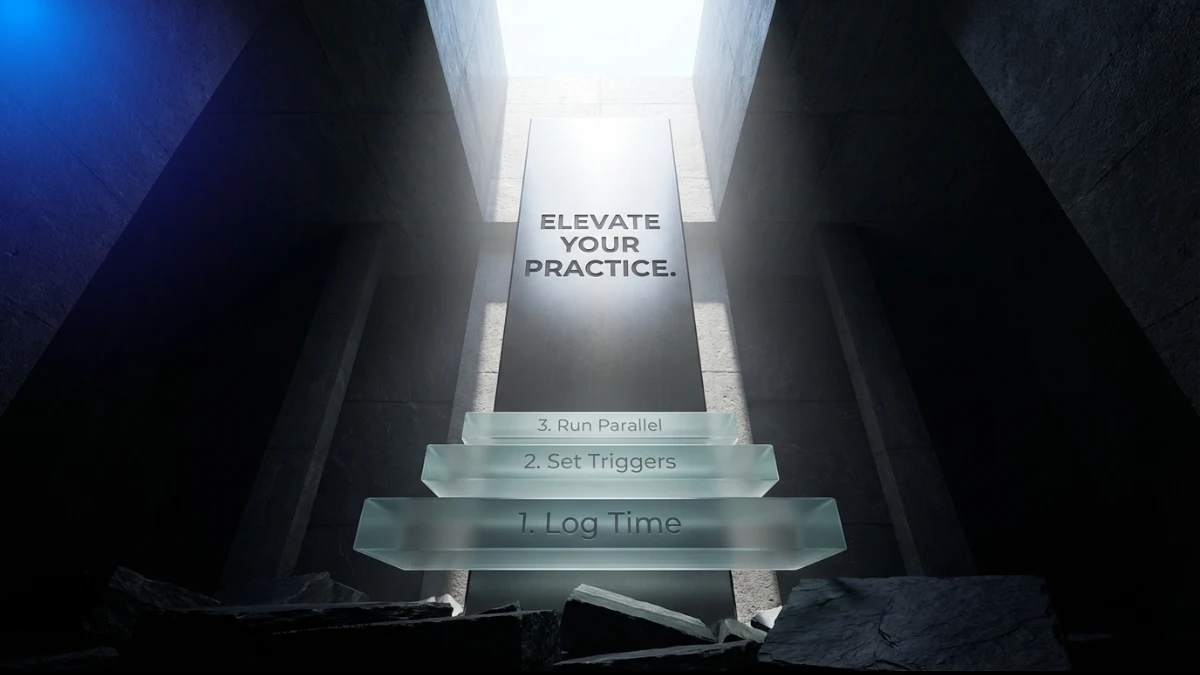
Step-by-Step: Setting Up Antigravity Across a Small Firm’s Core Workflows
The initial configuration takes between three and five hours spread across the first week, with automation running independently from week two onward.
- Audit current non-billable time by category — before configuring anything, spend two days logging every administrative task and its time cost. This data determines which automation sequence to prioritise first and establishes a baseline for measuring recovered time
- Identify the three highest-volume repetitive tasks — for most small firms, this will be time entry, document drafting, and client intake. These become the first three automation sequences to configure
- Map each task to an Antigravity trigger — every automation in Antigravity starts with a trigger condition: a new client file created, a document template accessed, a calendar entry added, a matter status changed
- Configure the client intake pipeline — connect the intake form or initial enquiry channel to Antigravity’s matter creation template, define the data fields that route automatically, and test with three dummy matters before going live
- Enable billing log population from activity data — connect Antigravity’s activity tracker to the billing log module, define the matter-to-timekeeper mapping, and set the reconciliation interval
- Set document template triggers — upload standard templates, define variable fields, and connect templates to the matter types that generate them most frequently
- Configure deadline cascade automation — input the jurisdiction-specific deadline rules for the practice’s primary matter types, connect to the calendar module, and enable automatic dependent deadline generation
- Run a two-week parallel operation — run automated and manual processes simultaneously, compare output, correct any variable field errors, and confirm billing log accuracy before switching fully to automated workflows
The two-week parallel phase is not optional. It is the step that separates a successful implementation from one that creates more administrative work than it removes.
Automate Legal Document Creation Without Sacrificing the Firm’s Voice
The most common concern attorneys raise about document automation is that it will produce generic output that strips the firm’s specific language, preferred structures, and jurisdictional nuance from standard documents.
It is a legitimate concern and one that Antigravity’s template architecture directly addresses. The system does not generate documents from a central library. It generates documents from the attorney’s own templates — the agreements, letters, and filings already in use, imported into the variable-layer system. Conditional logic allows different clause sets to apply based on matter type, client category, or jurisdiction without requiring separate templates for every permutation. The result is a document that reads exactly as the attorney would have written it manually, produced in a fraction of the time, with the variable data populated correctly from the matter file without human re-entry.
Manual Operations vs. Law Firm Automation With Antigravity: The Measured Difference
The following comparison reflects reported outcomes from small firm practitioners who transitioned from fully manual operations to Antigravity-automated workflows across a 90-day implementation period.

| Workflow | Manual Time Per Week | Antigravity Automated | Weekly Time Recovered | Billing Leakage Impact |
|---|---|---|---|---|
| Time entry and billing log | 4–6 hours | 25 min review | 3.5–5.5 hours | Reduced by est. 22% |
| Client intake processing | 3–5 hours | 20 min oversight | 2.5–4.5 hours | N/A |
| Document drafting | 6–10 hours | 30 min review | 5.5–9.5 hours | Eliminated re-entry errors |
| Deadline tracking | 2–3 hours | Fully automated | 2–3 hours | Eliminated missed deadlines |
| Client status updates | 2–4 hours | Automated on schedule | 2–4 hours | N/A |
| Total | 17–28 hours | ~75 min oversight | 15.5–26.5 hours | Significant |
The billing leakage figure warrants particular attention. Legal billing automation research consistently identifies manual time reconstruction — attorneys logging hours from memory at the end of a week rather than at the point of activity — as the primary source of revenue loss in small firms. Estimates from practice management consultants place this loss at between 15 and 25 percent of billable activity in firms without automated time capture. Eliminating that leakage is not a productivity improvement. It is direct revenue recovery.
What Recovered Billable Time Is Worth to a Three-Attorney Firm
The arithmetic is straightforward and worth making explicit.
Three attorneys. Average billing rate of $300 per hour. Each attorney recovers eight billable hours per week from automation of previously manual administrative tasks. That is 24 recovered billable hours weekly across the firm, or approximately 1,152 hours annually. At $300 per hour, that represents $345,600 in additional billing capacity — without hiring additional staff, without extending working hours, and without acquiring new clients. The practice simply stops absorbing the cost of doing administratively by hand what legal billing automation handles automatically.
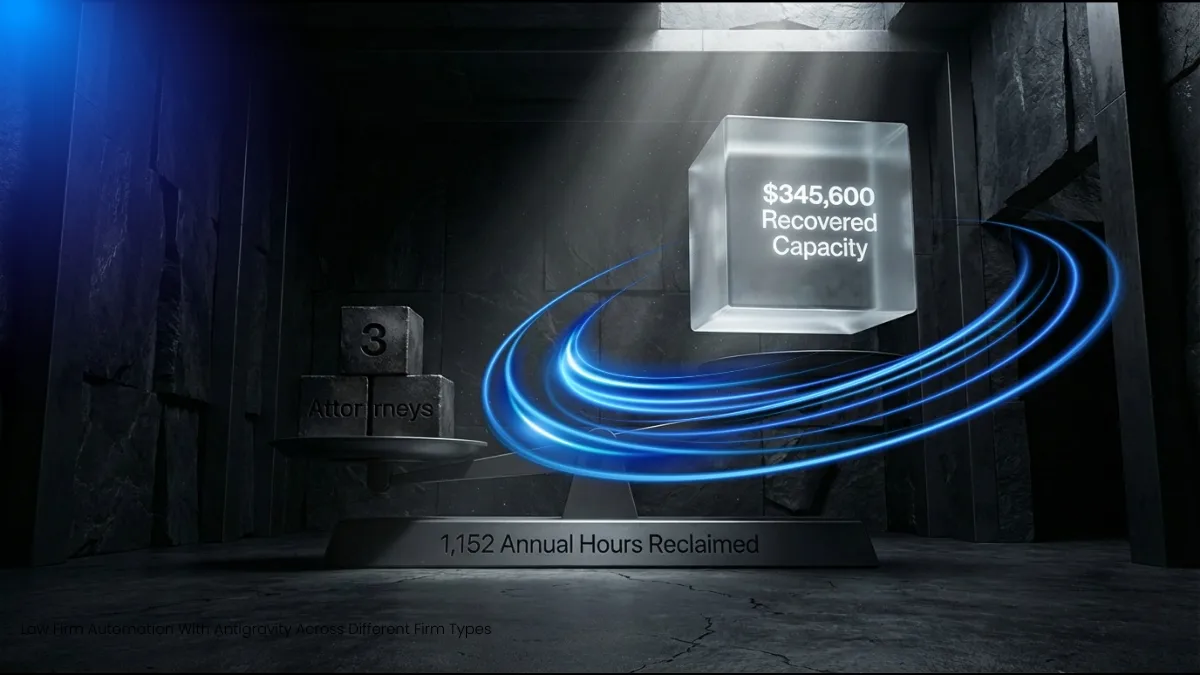
Three Practice Profiles: Law Firm Automation With Antigravity Across Different Firm Types
Solo Family Law Practitioner: From Intake Chaos to Automated Client Journey
A solo family law attorney in a mid-size city. High volume of initial consultations, emotionally complex matters, significant documentation requirements per case. Her intake process was consuming four to six hours weekly — initial enquiry logging, conflict checks, engagement letter generation, matter file creation. All manual. All duplicative of information already captured in her intake form.
After configuring Antigravity’s intake pipeline, a completed enquiry form now automatically generates a draft matter file, populates the conflict check list, and produces a draft engagement letter with the client’s details pre-filled and the appropriate fee structure clause selected based on matter type. Her intake processing time dropped to 45 minutes weekly. The recovered time moved directly to client-facing billable work.
Four-Attorney Personal Injury Firm: Automating the Deadline and Medical Records Pipeline
Personal injury practice carries some of the most consequential deadline structures in civil litigation. Statute of limitations periods, filing deadlines, medical records request timelines, and insurance response windows create a cascade of dependent dates that, managed manually, represent significant malpractice exposure.
This four-attorney firm had experienced two near-misses with deadline management in the preceding 18 months — caught by calendar review rather than by system alert. After implementing Antigravity’s deadline cascade automation, every new matter automatically generates the complete deadline sequence from the initial incident date. Reminders trigger at defined intervals. No deadline exists only in a paper file or a single attorney’s calendar. The malpractice exposure that two near-misses had created did not require an insurance conversation. It required an automated system.
Boutique Corporate Firm: Document Automation Across Multi-Jurisdiction Deal Work
A three-attorney corporate boutique handling transactions across multiple jurisdictions. Standard documents — NDAs, term sheets, board resolutions, shareholder agreements — produced repeatedly in slightly different forms depending on governing law, entity structure, and deal parameters. Their document production process involved opening a prior version, editing manually, and reviewing for jurisdiction-specific errors. Consistently. On every matter.
Antigravity’s template system, configured with conditional clause sets for each of their primary jurisdictions, now produces the appropriate document version automatically based on three input parameters: entity type, governing law, and transaction category. The attorneys review and negotiate. They do not draft from scratch. Law firm document automation at this level does not remove attorney judgment from the process — it removes the administrative substrate beneath it.
Getting Started: Law Firm Automation With Antigravity
The legal profession’s conservatism around technology adoption is not irrational. The consequences of a failed system implementation in an active legal practice are significantly more serious than in most business contexts. A billing system that misfires does not just create accounting work — it creates client disputes, bar complaints, and malpractice exposure.
That conservatism, however, has become a liability as the administrative burden on solo and small firm practitioners has reached a level that is measurably affecting both practice quality and attorney wellbeing. Law firm automation with Antigravity is not a suggestion that technology replaces legal judgment. It is a straightforward observation that the administrative infrastructure supporting legal judgment should not be consuming half the working day of the people paid to exercise it.
Legal billing automation, document automation, intake automation, and deadline management are not competitive advantages reserved for large firms with dedicated technology budgets. Through Antigravity’s local-first architecture, they are accessible to the solo practitioner and the small firm — without cloud exposure, without enterprise pricing, and without a six-month implementation timeline.
Quick-Start Checklist for Small Firm Antigravity Implementation
- Spend two days logging all non-billable administrative tasks and their time cost by category
- Identify the three highest-volume repetitive workflows as your first automation priorities
- Import your three most-used document templates into Antigravity’s variable-layer system
- Configure matter intake routing before any other automation sequence
- Connect the billing log module to Antigravity’s activity tracker and define your reconciliation interval
- Input jurisdiction-specific deadline rules for your primary matter types
- Run parallel manual and automated processes for two full weeks before full cutover
- Review recovered time weekly for the first month and redirect it explicitly to billable work
Frequently Asked Questions
Q: How to automate a small law firm with Antigravity without disrupting active matters?
Antigravity’s implementation is designed for parallel operation — automated and manual workflows run simultaneously during the transition period. No active matter data needs to be migrated before the attorney is confident in the system’s output. Configuration begins with new matters and expands retroactively only when the attorney elects to do so.
Q: Is legal billing automation through Antigravity compliant with bar association billing guidelines?
Antigravity’s billing log module captures activity data and generates draft billing entries — it does not submit invoices or make billing decisions autonomously. Every billing entry passes through attorney review before it reaches a client. The automation addresses the time reconstruction problem, not the billing judgment question, which remains with the attorney. Compliance with specific bar association billing guidelines is the attorney’s responsibility to verify against local rules.
Q: What is the best legal workflow automation approach for a firm with no dedicated IT support?
Antigravity is configured through a guided setup process that does not require technical expertise beyond basic software installation. The local-first architecture means there is no server configuration, no cloud integration, and no ongoing IT maintenance requirement. For firms with no dedicated support, this is a meaningful practical advantage over cloud-based platforms that require ongoing integration management.
Q: How does law firm document automation without expensive software compare to enterprise platform output?
The document quality produced by Antigravity’s variable-layer template system is determined by the quality of the attorney’s source templates, not by the platform. A well-configured Antigravity template produces output equivalent to enterprise system output because the language, structure, and conditional logic come from the attorney’s own documents. The difference is cost and architecture, not document quality.